Eight themes for different shops,made yours in minutes
Poltura designed each one, and each suits a different kind of shop. Pick the one closest to yours and change the rest in the editor, without code.
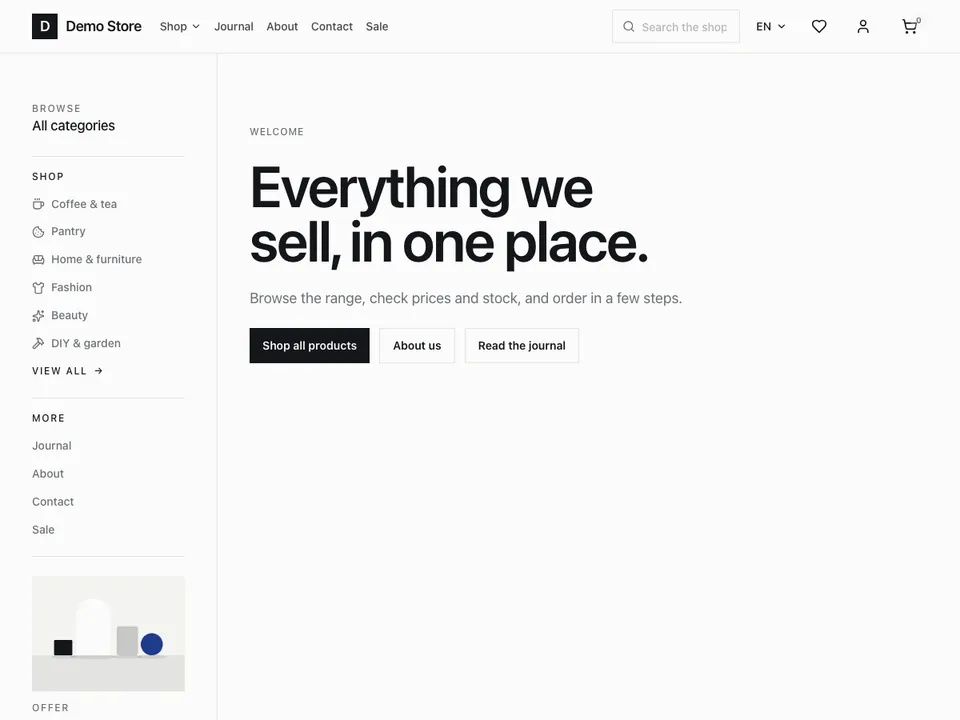 01
Poltura
A clean, neutral starter theme that suits most shops. The mega menu builds itself from your categories, the home page is laid out in tiles, and the full set of order emails comes with it.
Best forAlmost any shop that wants a plain, neutral starting point.
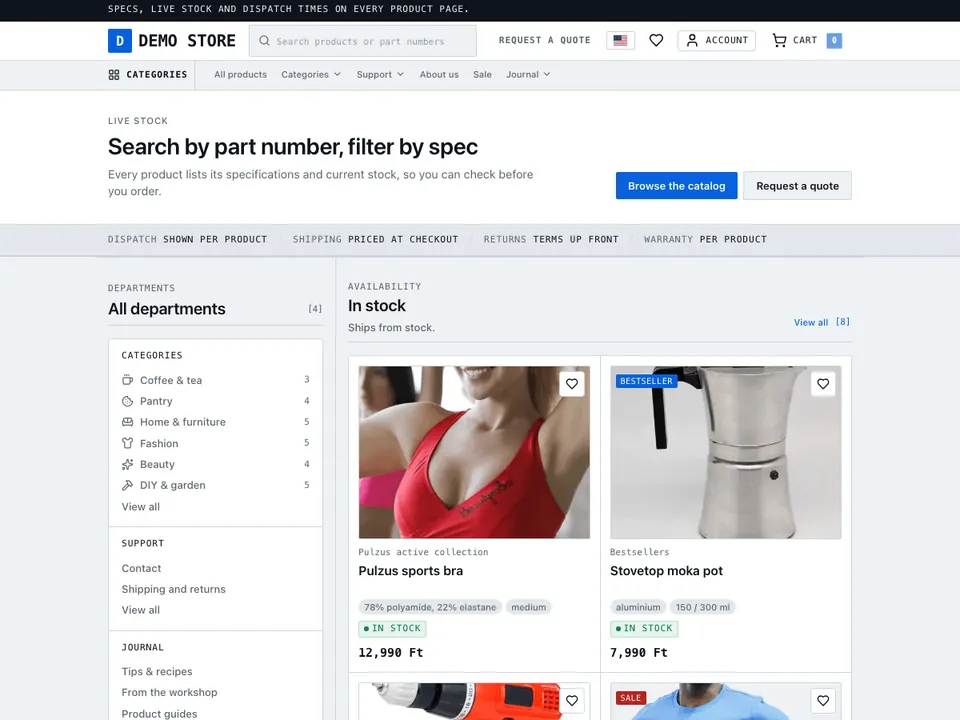 02
Catalog
Built for big catalogues with lots of specs. Search sits at the top of every page, departments are one click away, and prices, stock and specs line up in columns so shoppers can compare at a glance.
Best forElectronics, hardware and B2B shops where customers compare before they buy.
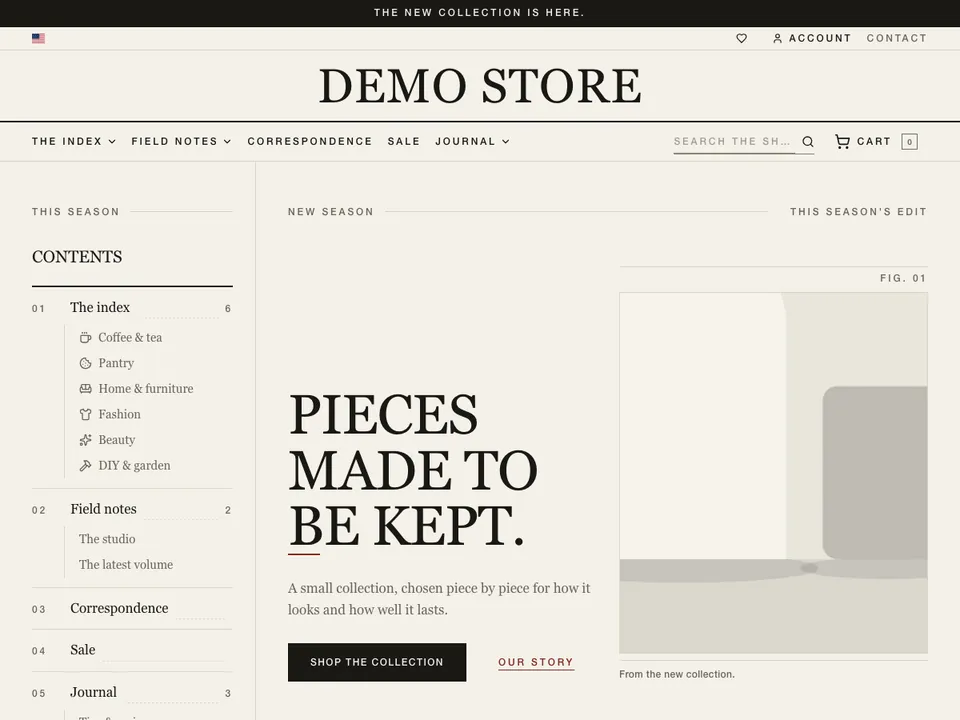 03
Editorial
A magazine-style theme. Serif headlines and full-width images give your products the room of a printed page.
Best forFashion, jewellery, furniture and other brands that sell through their story.
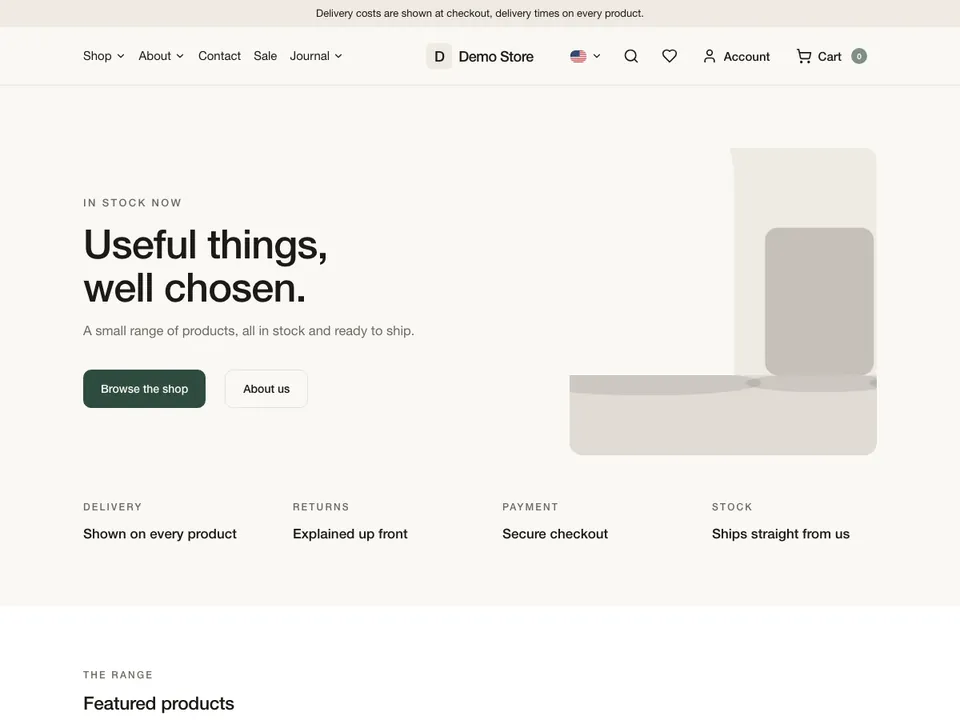 04
Essential
A calm, minimal theme with warm colours, soft corners and a centred header. The pages stay quiet and your product photos come first.
Best forAlmost any shop that wants its product photos to lead.
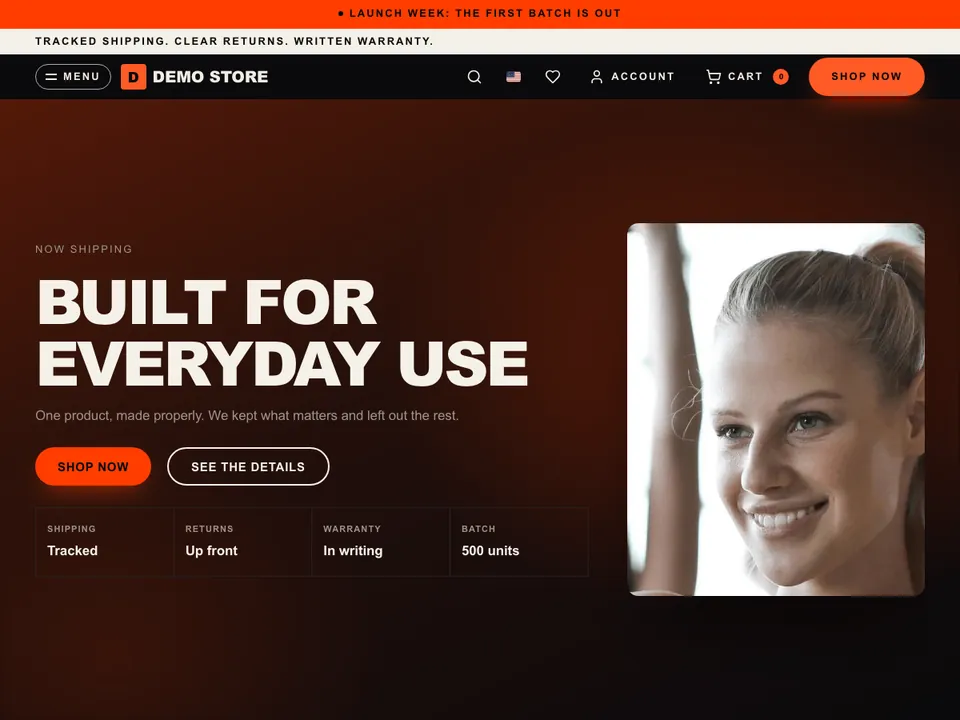 05
Launch
The home page reads like a launch page, with bold full-width sections that lead shoppers from the first look to the buy button.
Best forBrands that sell one product or a small range of up to about 20.
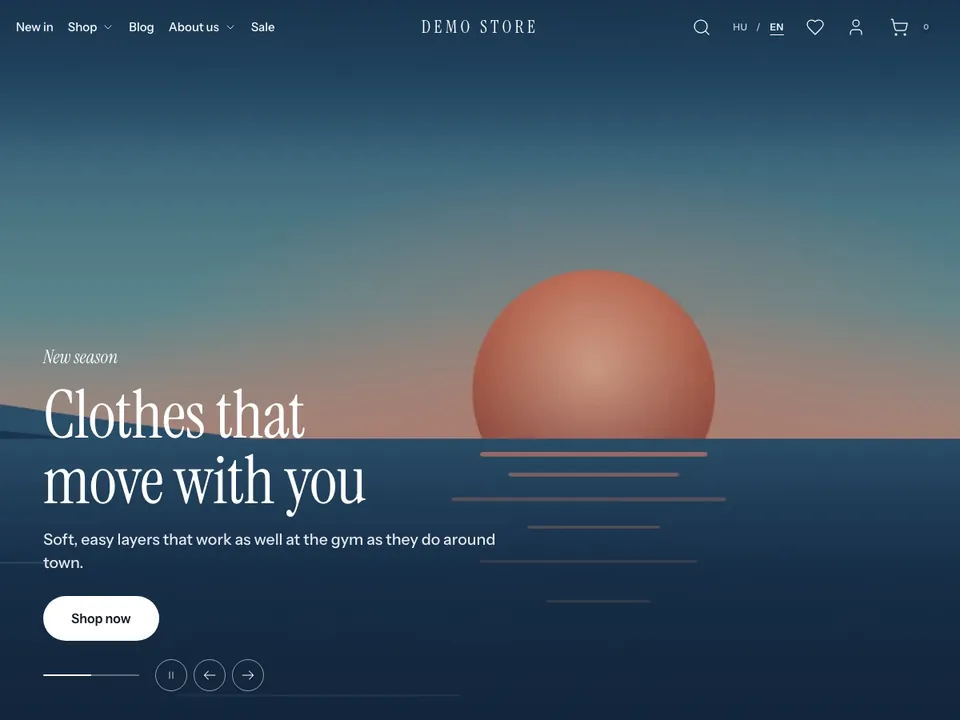 06
Marina
A light, minimal theme. Large lifestyle photos lead the home page, product pages show a tall photo gallery, and filters and size charts open in side drawers.
Best forFashion and activewear brands with plenty of lifestyle photos.
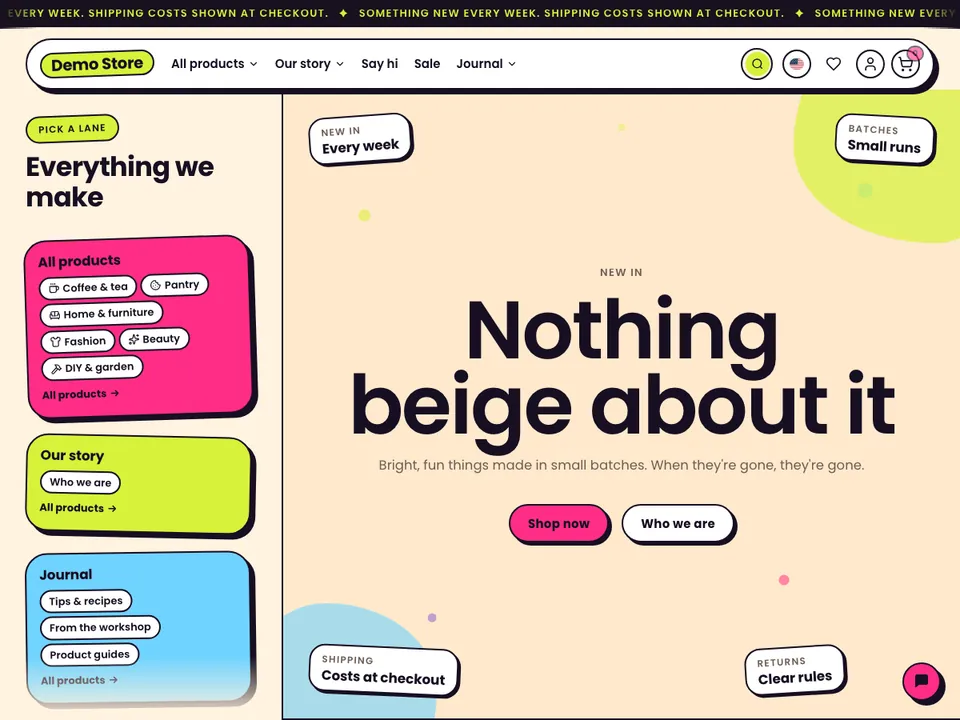 07
Pop
A loud, playful theme. Bright colours, bold outlines and a scrolling banner give it the feel of a sticker shop, and the menu opens as one board with all your categories.
Best forBeauty, food and drink, streetwear and kids' brands.
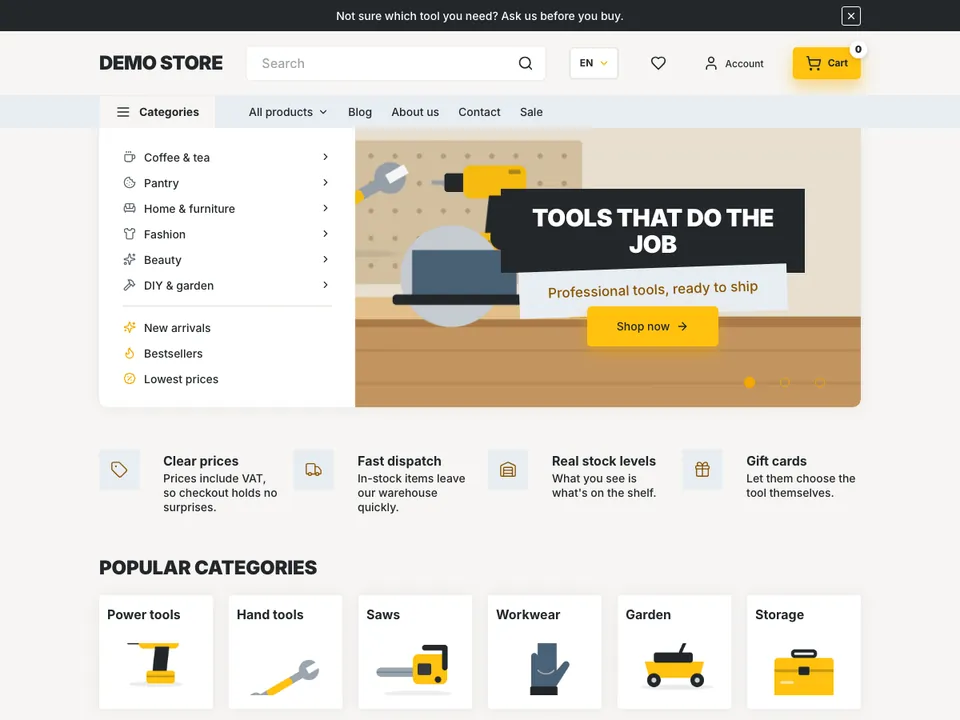 08
Rivet
A hands-on catalogue theme. Categories sit next to the home page banner, and product cards show ratings, stock, key specs, discounts and a quantity picker, so shoppers can compare without opening every product.
Best forTool, DIY, garden and B2B shops.
- +
Build your own theme
Write one in the browser code editor or from the command line, following the developer docs, or hand the work to a Poltura partner.
Every theme, the same editor
A theme is only the starting point. Sections, colours, fonts and text all change right on the page, and your shop keeps selling while you work.
Drag it where you want it
Pull in headings, product grids, countdowns or videos, reorder them, and fine-tune each one for desktop, tablet and phone.
Work on a draft
Changes stay in draft. Every version is saved, always one click away, and the live shop changes only when you publish.
Ask the assistant
Select an element and tell the assistant what you want. Each change it makes can be undone, just like your own.
Want a custom theme?Commission a theme →

Set up your online shop in moments
Add your products, connect your domain and build in private with no card required. Open your shop by 31 December to get 90% off your first month.